Campaigns
A campaign takes one release to a chosen set of devices, in waves, and stops itself when things go wrong. Every device gets its own record, so you can always answer what a given unit was offered and where it got to.
The Updates page
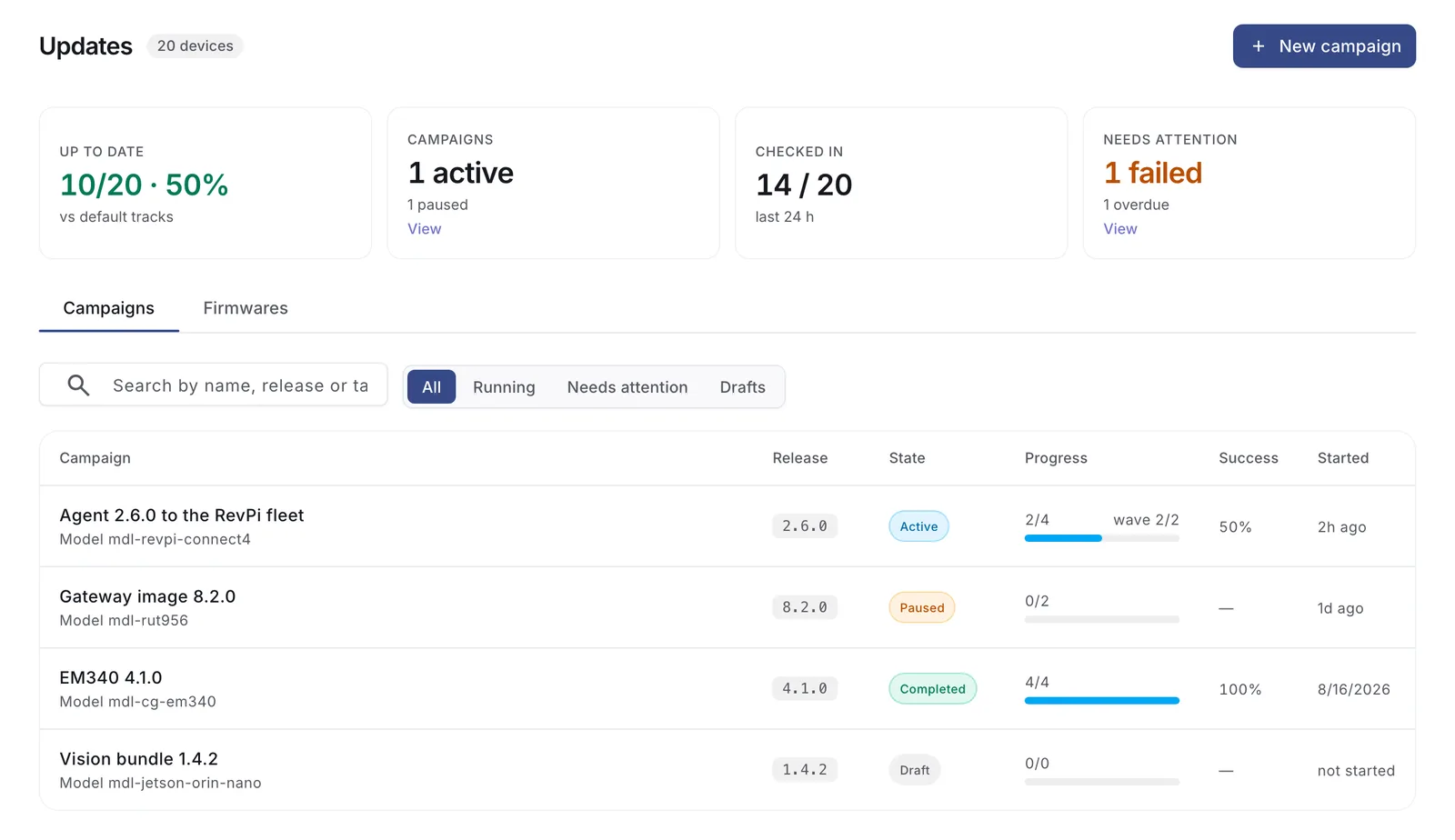
The strip along the top counts how much of the fleet is on its default release, how many campaigns are running, how many devices checked in over the last day, and how many need attention. Each card filters the list below it. This is the page to keep open during a rollout.
Setting up a rollout
Start from New campaign, or from a release on its firmware's page.
1. Which release
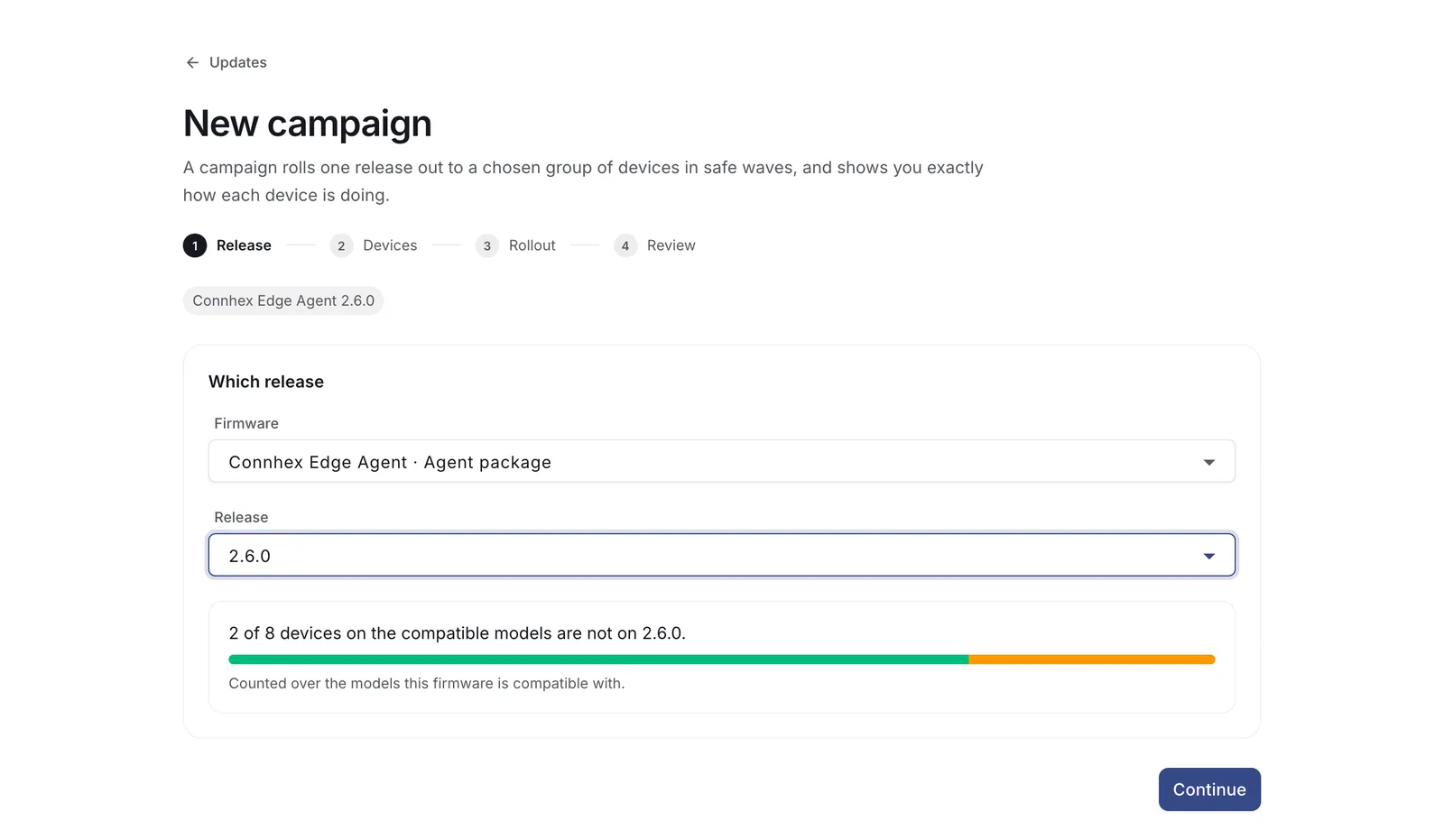
Pick the firmware and the version. Connhex shows how much of the fleet is already on it, counted across the models this firmware is compatible with, so you know the size of the job before choosing devices.
Only published releases can start a campaign.
2. Which devices
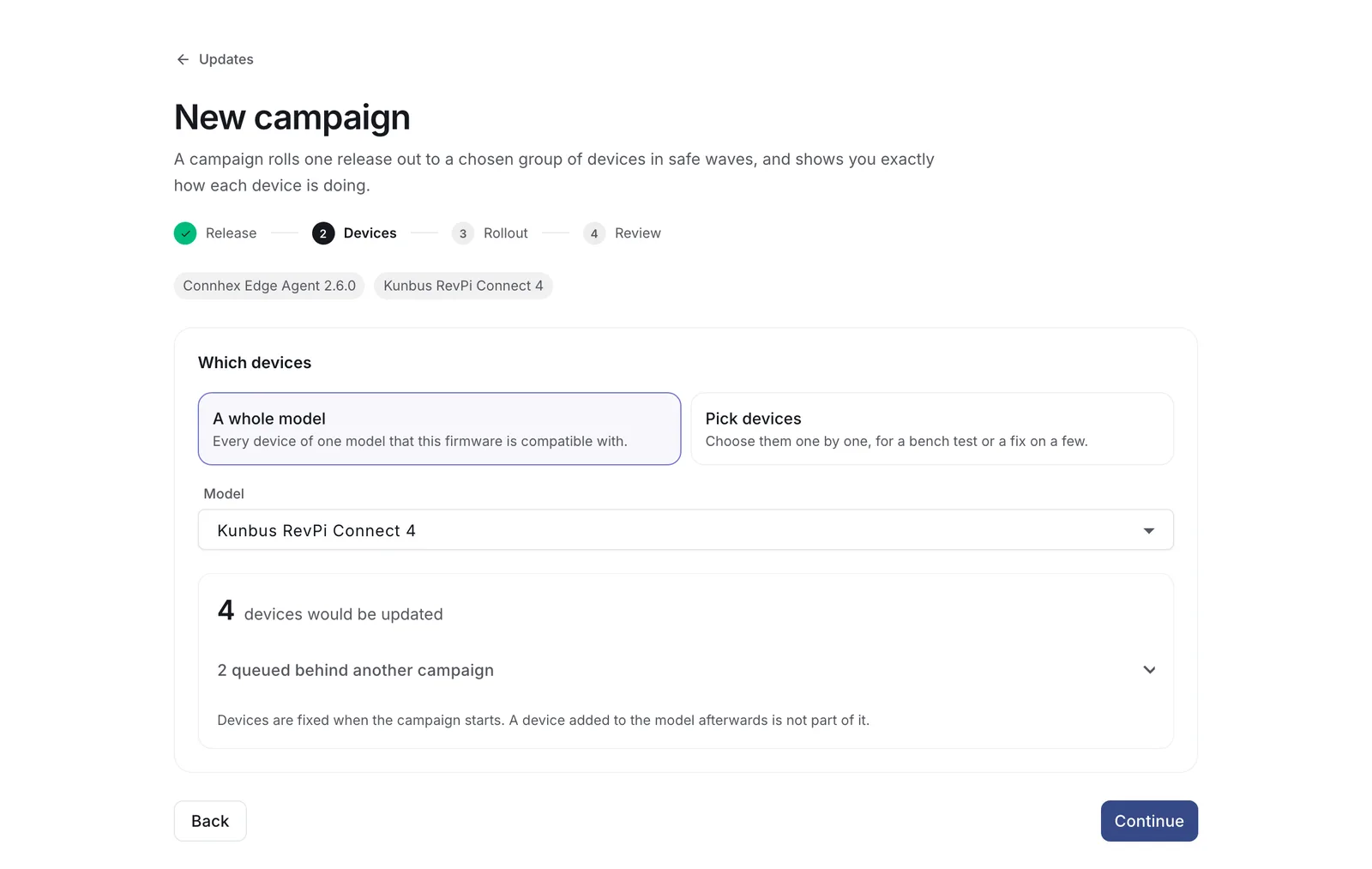
Target a whole model, or pick devices individually. Membership is fixed when the campaign starts, so devices added to the model later are not swept in halfway through.
Devices that cannot take the release are recorded with the reason: an incompatible model, a version newer than the one on offer, or a release they have to pass through first.
For a system image campaign, each selected device needs either a live client certificate or an OTA token. A device with neither appears under Missing credentials.
3. How it rolls out
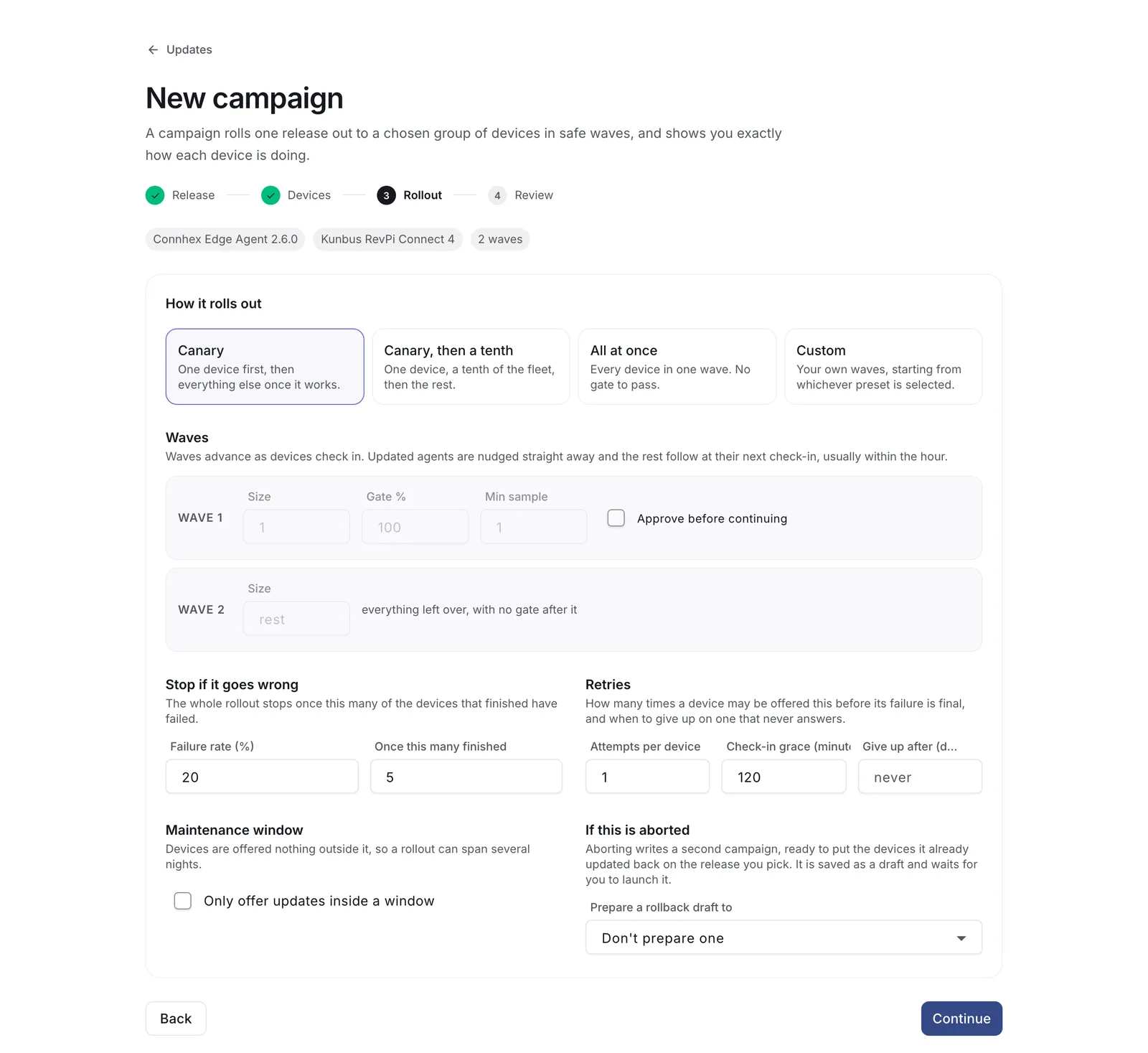
| Preset | Waves |
|---|---|
| Canary | One device first, then everything else once it works |
| Canary, then a tenth | One device, a tenth of the fleet, then the rest |
| All at once | Every device in one wave, no gate |
| Custom | Your own waves |
Every wave except the last has a gate: a success percentage and a minimum number of finished devices, both of which have to be met before the next wave opens. The minimum keeps a gate from passing on nothing, since one device out of one is 100% success and says very little.
Waves advance on their own by default. Set one to manual to look before continuing.
Abort threshold. The campaign stops itself once failures reach a share of the devices that have finished, by default 20% counted over at least 5 devices. Nothing further is offered, while devices already updating carry on and are recorded.
Maintenance window. Optional. A start and end time, a time zone, and optionally the weekdays. Outside it, no device is offered anything, on either update path.
Check-in grace. How long a device may stay quiet after being offered an update before Connhex offers it again, and eventually gives up on it. Two hours by default, half an hour minimum. Set it comfortably above your devices' polling interval.
Retries. How many times a device may be offered the update again after failing. One by default. System image campaigns start at three, since those devices report their failures precisely enough to be worth retrying.
4. Review
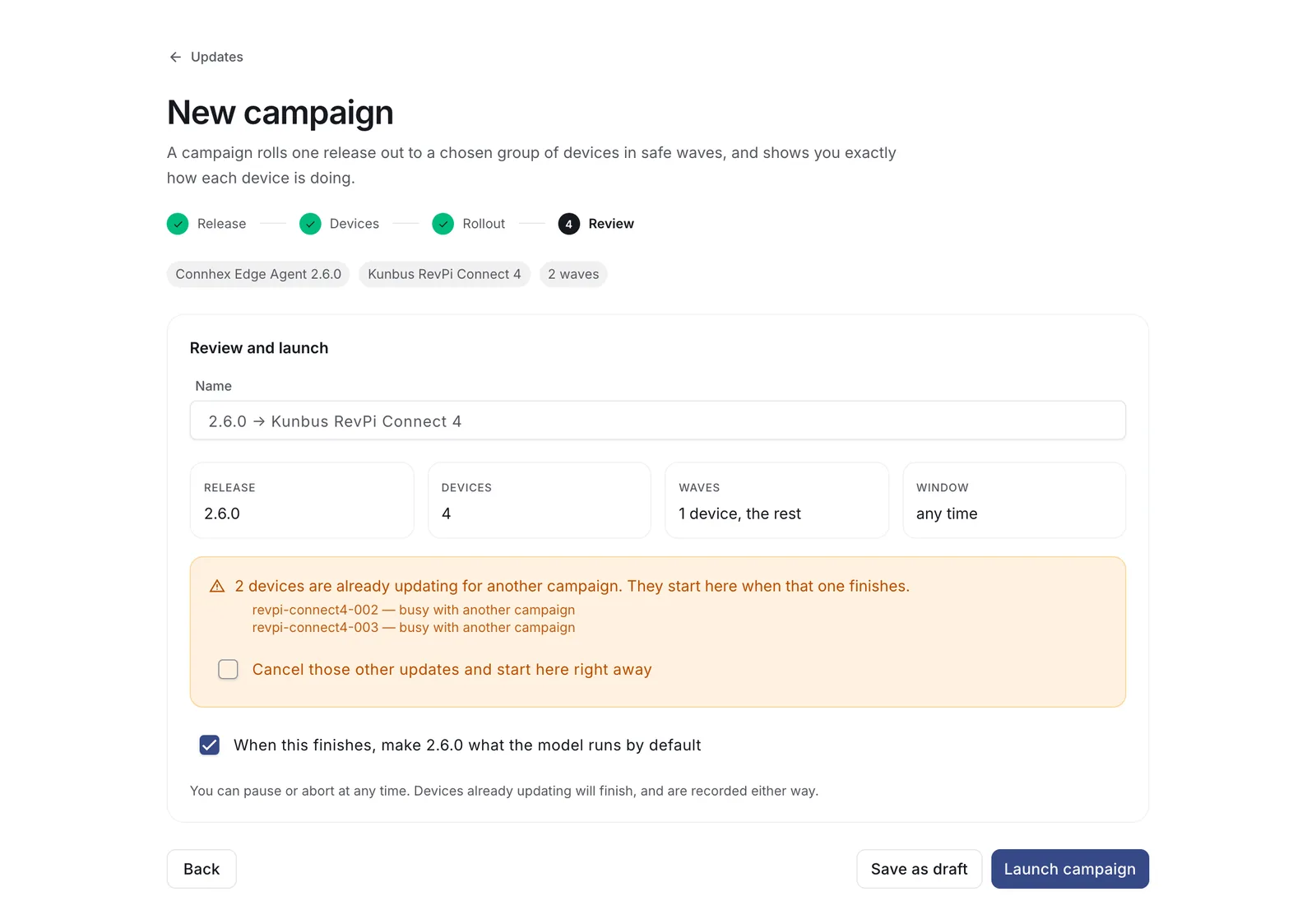
The last step counts the devices that are eligible, the ones that are not and why, and the ones waiting on another campaign. Save it as a draft, or launch.
Promote when complete makes the release the model's default once the campaign finishes, so devices that were offline and devices built later end up on the same version. It is on by default for campaigns targeting a model.
Following a rollout
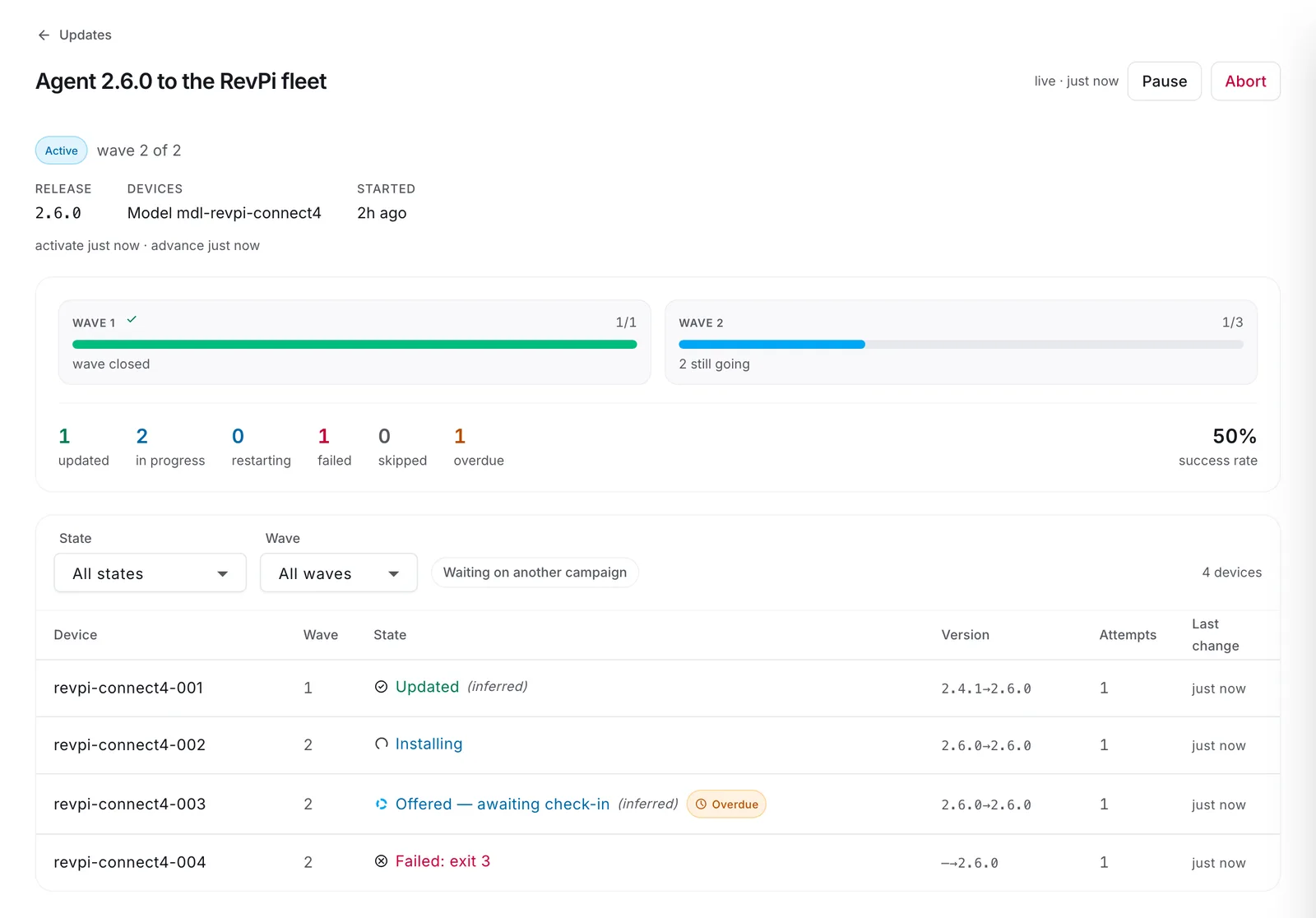
The monitor refreshes every few seconds while a campaign is live. Waves show their own progress and their gate, the counters break down by state, and the table lists every device with its version, attempts and last change.
Pause stops offering the update while devices already updating finish. Resume picks up where it left off. Abort ends the campaign and cancels everything not yet started; on the system image path, devices mid-update receive an explicit cancel at their next poll.
A failed device can be retried from its own row, which ignores the retry limit because you asked for it deliberately.
Device states
| State | Meaning |
|---|---|
| Queued | In a wave that has not opened yet |
| Waiting for another campaign | Already updating for a different campaign. It starts here when that one finishes |
| Offered | The update is available to it. Waiting for the device to take it |
| Downloading, Installing | Reported by devices whose firmware reports |
| Downloaded, waiting to install | On the device, held back by auto-install being off or a closed window |
| Restarting, testing new image | Booted the new image and proving it works. Falls back if it cannot |
| Updated | Done |
| Failed | With the device's error, or with what was inferred: no progress within the grace period, stopped part-way, never checked in |
| Skipped | Never offered, with the reason |
| Overdue | An amber badge on a device that has gone quiet, on top of whatever state it is in. It clears when the device comes back |
On the agent and custom firmware paths, states are read from check-ins and marked inferred. A device recorded as failed there may also have rolled back on its own without Connhex hearing about it.
Two campaigns, one device
A device runs one update at a time, and a campaign is never held up by a busy device. Contested devices queue: whichever campaign started first goes ahead, and the other follows automatically once that device is finished. This is what keeps an image update and an application update on the same device from colliding.
Rolling back
A campaign pinned to an older release, with rollback turned on, moves devices backwards. System image devices handle that natively. Agent packages do not: your update.sh has to cope with data written by the newer version, so treat a rollback as its own update and test it.
When a campaign aborts, Connhex can prepare a rollback campaign targeting the devices that had already succeeded. It arrives as a draft and never launches on its own.