Firmware and releases
Three things organize updates in Connhex.
Model: a board design, a product variant. Models are what campaigns target.
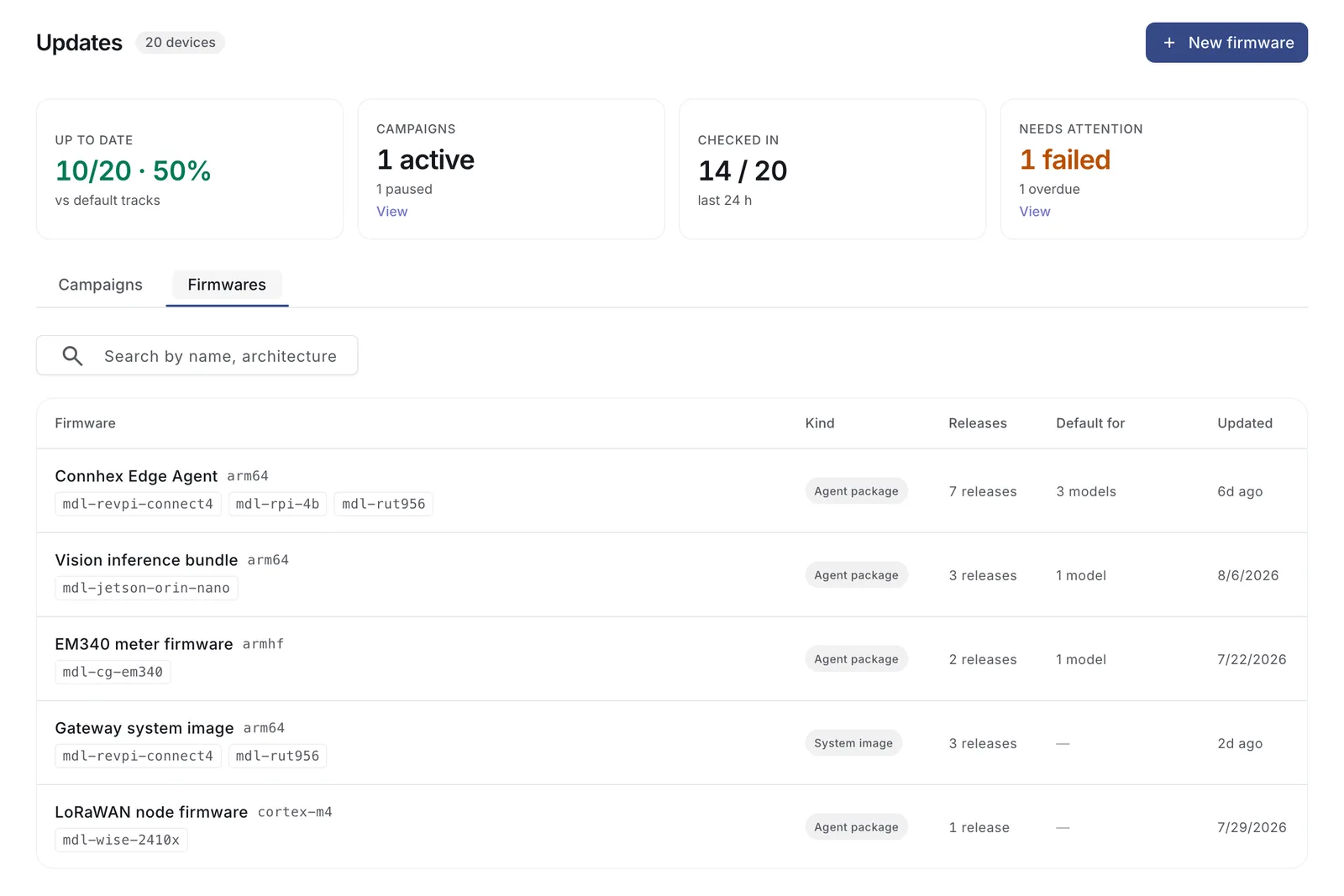
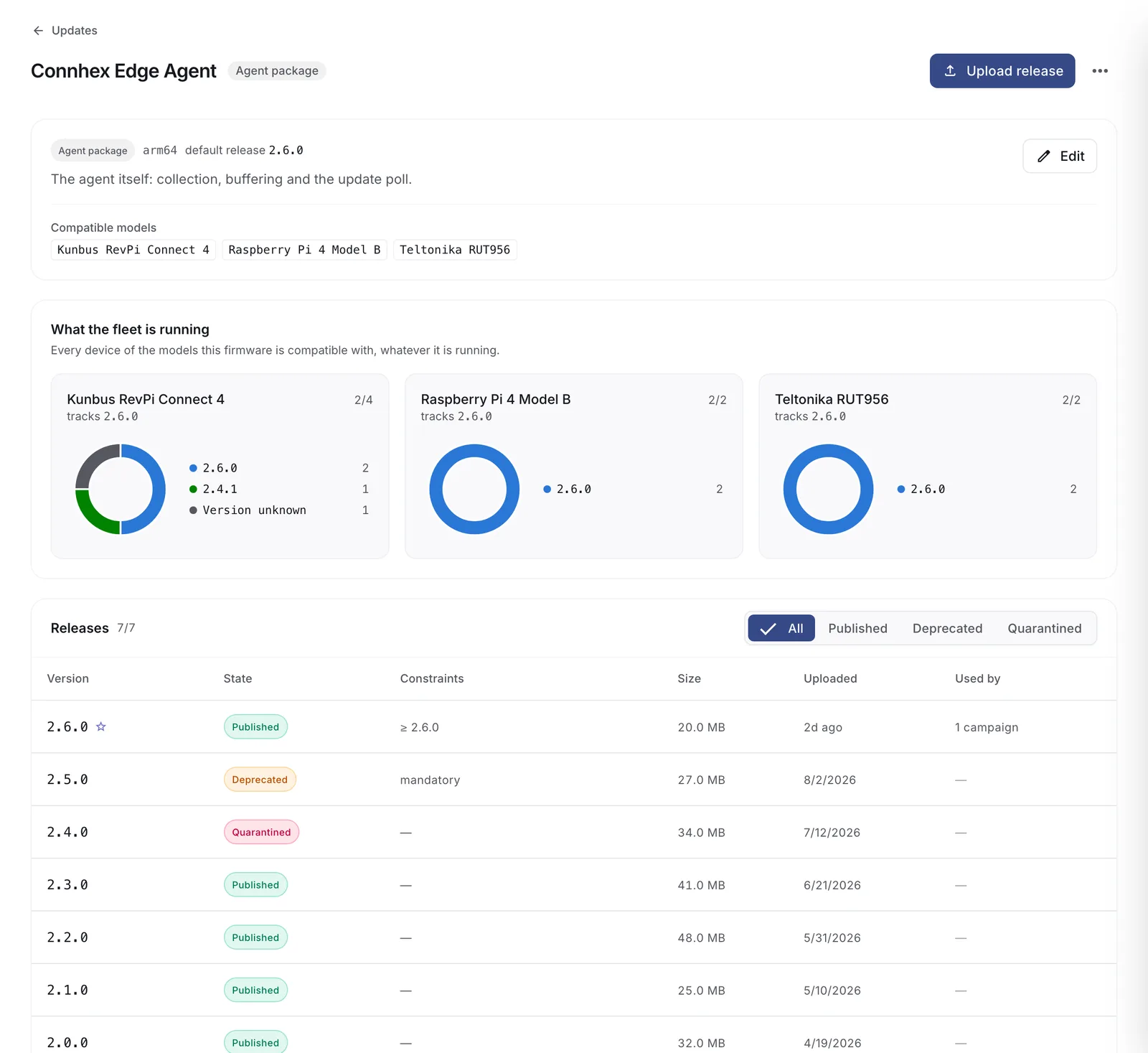
Firmware: something you update, with a history of versions. It declares which models it can run on, so one firmware can serve a whole product family.
Release: one version of a firmware. The actual file, versioned, and with the rules about when it may be installed.
Agent packages and system images
Two kind of firmwares are supported. Depending on what you want to update or your device, you might want use one or the other.
Agent package: it's the bundle handled by Connhex Edge and allows the update of user space applications and services. It's fully customizable by a simple bash script.
System image: an image containing the whole root filesystem. It needs an updater built into the image, either SWUpdate with its Suricatta module or RAUC with rauc-hawkbit-updater.
The kind is fixed when you create the firmware and cannot be changed afterwards, since it decides which device API delivers every release under it. A device that needs both keeps two firmwares, one of each kind, each with its own release history and campaigns. Choosing an update path covers what each asks of the device.
Releases
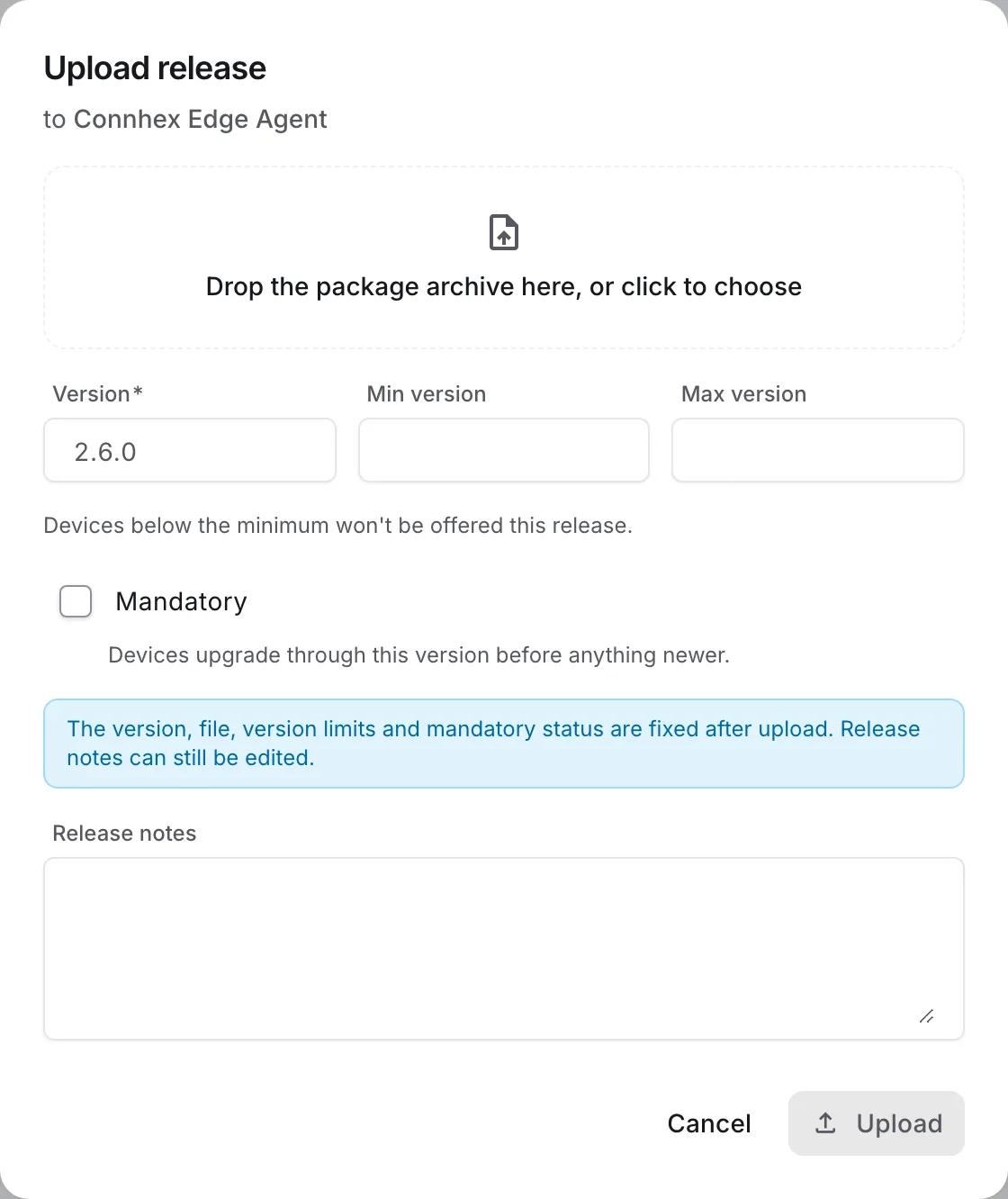
Upload a release from the firmware's page.
| Field | What it does |
|---|---|
| File | The package. A zip for agent packages, a .swu or RAUC bundle for system images |
| Version | Semver, unique within the firmware |
| Min version | Devices below this are not offered the release |
| Max version | Devices at or above this are not offered it |
| Mandatory | Devices upgrade through this version before anything newer |
| Notes | Shown next to the release |
Connhex automatically hashes the file on upload and serves the digest with every download.
Mandatory releases
Marking a release mandatory makes it a stop on the way. A device several versions behind is offered the mandatory release first and continues from there. Use it when a version cannot be skipped, such as a migration that later versions assume has already run.
Release states
| State | What it means |
|---|---|
| Published | Can be offered to devices and picked for new campaigns |
| Deprecated | Not offered to anything new. Campaigns already running with it carry on |
| Quarantined | Stops being served at all, including to campaigns already running |
Quarantine is what you reach for when a release turns out to be harmful. It applies from the next request onwards, so a download already in flight can finish. Campaigns using the release keep running until you abort them.
Restore returns a release to whatever state it was in before quarantine.
The default release
Each model has a default firmware and a default release. Devices of that model are offered it whenever no campaign is targeting them, which is how new devices and stragglers catch up without anyone starting a rollout for them.
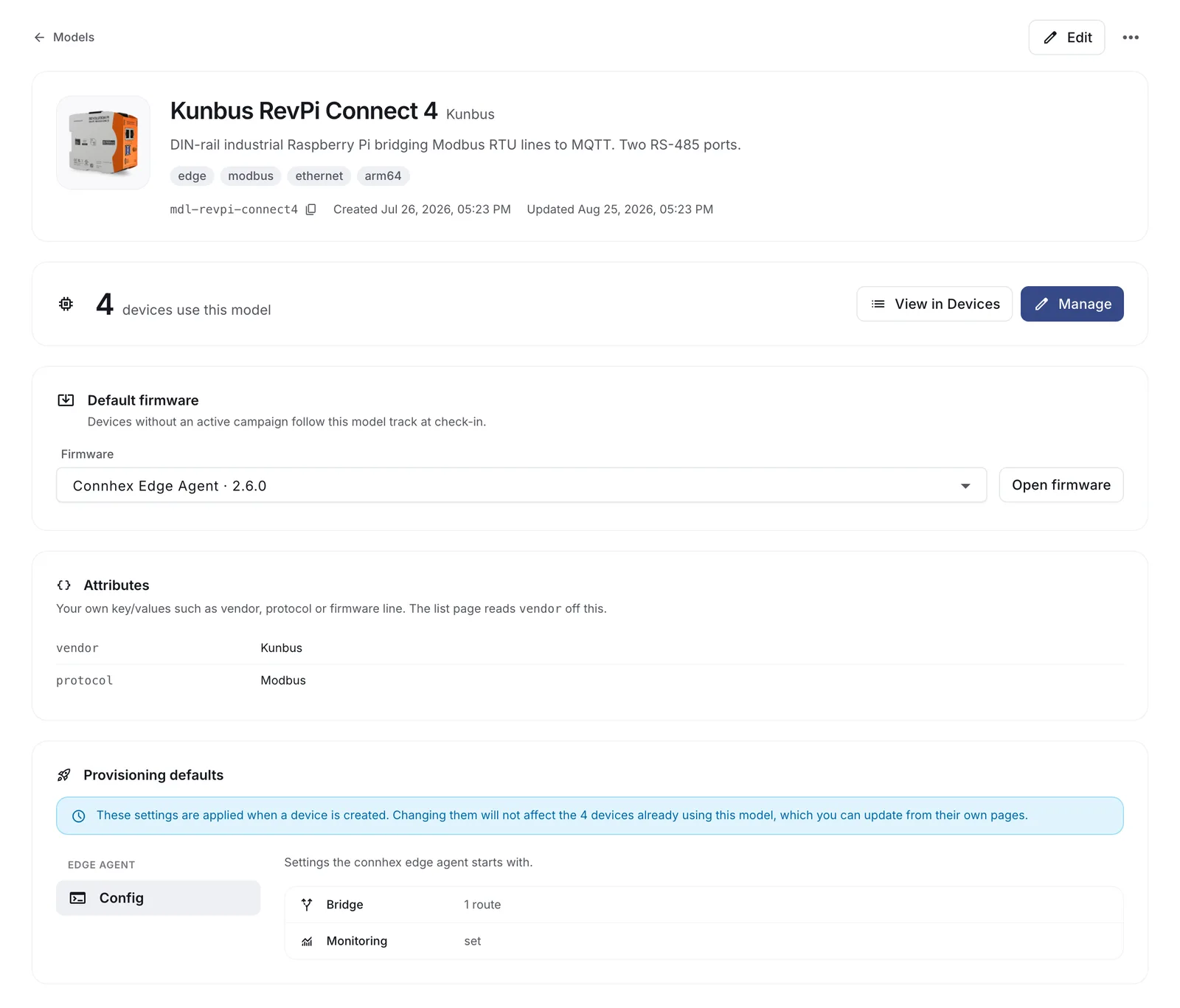
Through this route a device is never offered a version older than the one it is running. Going backwards happens only when a campaign says so.
Changing the default applies to every device of the model at once. A campaign can promote its release to the default once it completes, which is the safer way to move it.